
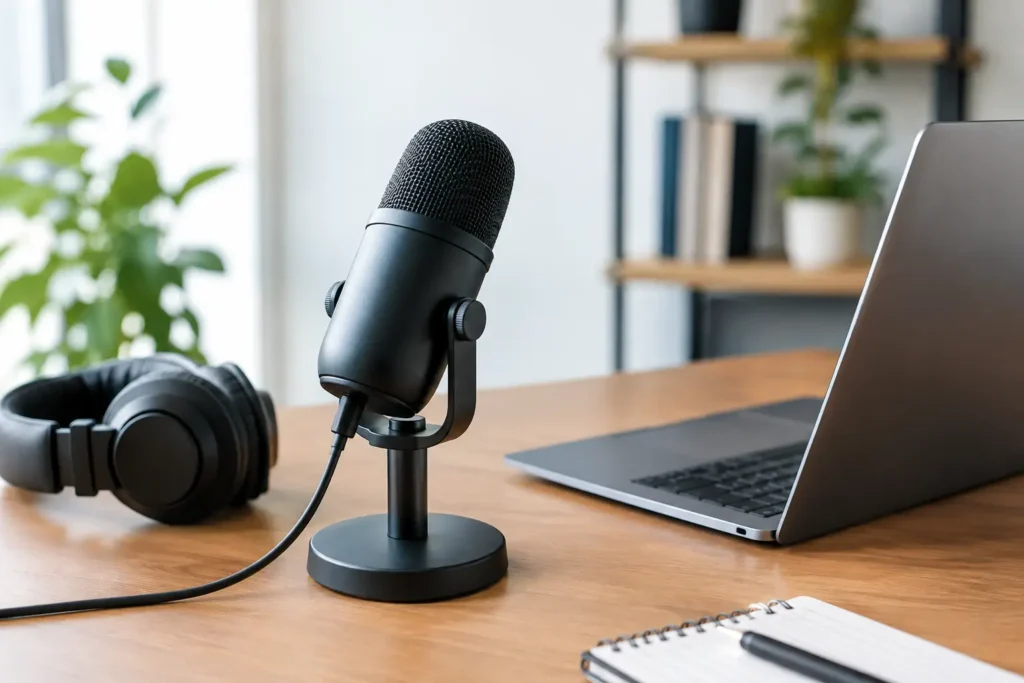
A listener may forgive an occasional stumble or an imperfect transition. They are far less likely to stay through a conversation that sounds distant, echoey, or difficult to understand. The right podcast microphone helps your business sound prepared and credible before a prospect visits your website, sends a message, or walks through your door.
For small-business owners and growing creators, the goal is not to build a recording studio that rivals a national broadcast network. It is to create a dependable setup your team can use consistently. A microphone should make recording easier, keep your voice clear, and fit the way you plan to publish content.
Start With Your Podcast’s Real-World Needs
Before comparing specifications, think about where and how you will record. A solo business podcast recorded at a desk has different needs than a video podcast with two guests, a mobile interview series, or a team show filmed in a conference room.
Your recording environment matters as much as the microphone itself. Hard floors, bare walls, glass, and open offices create reflections that can make a polished voice sound hollow. A quieter room with rugs, curtains, soft furniture, and a closed door will improve nearly any setup. If you cannot change the room much, choose equipment that picks up less of the space around you.
Also consider who will use the microphone. If several staff members will record interviews, short social clips, or customer education videos, simplicity is a business advantage. A setup that requires constant troubleshooting often becomes a setup no one uses.
USB or XLR: Choose the Connection That Supports Your Team
For most business owners beginning a podcast, USB microphones are the practical starting point. They plug directly into a computer, require little additional equipment, and can deliver professional results in a treated or reasonably quiet room. USB is especially useful for solo hosts, remote interviews, training content, and teams that need a straightforward recording process.
XLR microphones connect through an audio interface or mixer. They cost more to set up and involve more cables, but they offer flexibility as your production grows. An XLR setup can make sense when you regularly record multiple people in person, need separate audio tracks, or want your podcast to become a long-term media channel for your business.
There is no prize for choosing the more complex option. A quality USB microphone used consistently will do more for your marketing than an advanced XLR system that stays in its box. Start with the workflow your team will actually maintain, then upgrade when your format requires it.
A hybrid option can protect your investment
Some microphones offer both USB and XLR connections. These can be a smart middle ground for businesses that want an easy launch now but expect to build a more involved recording setup later. You can record directly to a laptop today and move to an interface when you begin hosting more in-person guests.
Dynamic vs. Condenser Podcast Microphones
This is one of the most useful distinctions to understand because it affects how a microphone reacts to your room.
Dynamic microphones are generally less sensitive. They are often a strong choice for untreated offices, busy workspaces, and hosts who want to minimize room noise. They work best when the speaker stays fairly close to the mic, usually a few inches away. That close placement creates a full, direct sound and reduces the amount of air conditioning, traffic, keyboard noise, and room echo the microphone captures.
Condenser microphones are more sensitive and can capture more detail in a voice. In a quiet, treated room, that detail can sound polished and natural. In a typical office with hard surfaces or background activity, however, a condenser may also capture sounds you do not want your audience to hear.
For many small-business podcasts, a dynamic microphone is the safer recommendation. It gives your host more control in less-than-perfect recording conditions. A condenser can be an excellent choice if you have a quiet dedicated room and prefer a more open, detailed vocal sound.
Pick the Right Pickup Pattern
A microphone’s pickup pattern describes where it hears sound from. You do not need to memorize every technical variation, but one pattern is especially helpful for business podcasting: cardioid.
A cardioid microphone primarily picks up sound from the front while reducing sound from the sides and rear. That makes it useful for a single host or one person per microphone. It helps focus the recording on the speaker rather than the room.
For a two-person show, avoid placing one microphone in the middle of a table and hoping it will handle everyone equally. That approach often produces uneven volume, more echo, and more editing work. Whenever possible, give each speaker their own microphone. It improves clarity, lets each person speak naturally, and gives your editor more control over the final episode.
Omnidirectional microphones can capture sound from all directions and have a place in specific interview settings. Still, they are usually not the first choice for an office-based podcast because they also capture more room noise.
Budget for the Setup, Not Just the Microphone
A strong microphone is only part of a usable recording system. The accessories around it can make a noticeable difference in sound quality and comfort.
Plan for a stable desk stand or boom arm that lets the speaker position the microphone close to their mouth. A pop filter or foam windscreen helps reduce harsh bursts of air on words with “p” and “b” sounds. Closed-back headphones allow the host to hear issues while recording without audio bleeding back into the microphone.
If you choose XLR, include an audio interface, the necessary cables, and enough inputs for your expected number of speakers. For video podcasting, consider how the microphone will look on camera as well. A boom arm may create a cleaner visual than a large stand sitting between the host and guest, but the best choice is the one that keeps the microphone properly placed.
Do not overlook your recording software and editing process. Clear audio still benefits from removing long pauses, balancing volume, reducing background noise, and adding an intro or outro that fits your brand. Consistent editing gives every episode a recognizable standard.
Make Mic Technique Part of Your Process
Even an excellent microphone can sound disappointing when it is used poorly. Create a simple recording routine your team follows every time. Position the microphone slightly off to the side of the mouth rather than directly in front of it, and speak toward the front of the mic at a consistent distance.
Ask hosts and guests to silence notifications, move away from noisy air vents when possible, and avoid tapping the desk. Record a short test before every session. Listen back through headphones for echo, clipping, low volume, or background sounds that were easy to ignore in the room.
A short checklist can prevent expensive reshoots:
- Confirm the correct microphone is selected in the recording software.
- Check that each speaker has clear, healthy audio levels.
- Close doors, silence devices, and reduce nearby noise.
- Record a 20-second test and listen before starting the full conversation.
These small habits protect your production time and give guests confidence that their expertise will be represented well.
Match Your Podcast Microphone to Your Content Strategy
A podcast should support a business purpose, whether that means building local visibility, answering customer questions, strengthening relationships, or creating video clips for social media. Your microphone choice should serve that purpose rather than distract from it.
For example, an Oklahoma City service business recording quick educational episodes may prioritize a simple USB dynamic microphone and a repeatable desk setup. A company planning leadership interviews with multiple guests may benefit from an XLR system with individual microphones and professional editing. Neither approach is automatically better. The right option depends on your format, available time, recording space, and publishing goals.
If your podcast also appears on video, audio quality becomes even more valuable. Viewers may discover a short clip on social media, then visit your website for a service, consultation, or next step. Clear sound helps the message feel trustworthy across every channel.
Buy for Consistency, Then Improve With Purpose
The best equipment decision is usually the one that removes friction. Choose a microphone your team can set up quickly, use confidently, and maintain across a regular publishing schedule. Start with a quiet space, close mic placement, and a format that fits your available resources.
As your show grows, you can improve treatment, add guest microphones, refine editing, and build a stronger video workflow. YoushTech helps businesses connect those production choices to a broader content and digital marketing plan, so each episode has a clear role in earning attention and building trust.
Your audience does not need perfection. They need to hear useful expertise from a business that sounds ready to help. A thoughtful microphone choice gives your voice the clarity to do exactly that.