
OpusClip: 7 Powerful AI Video Editing Features | YoushTech
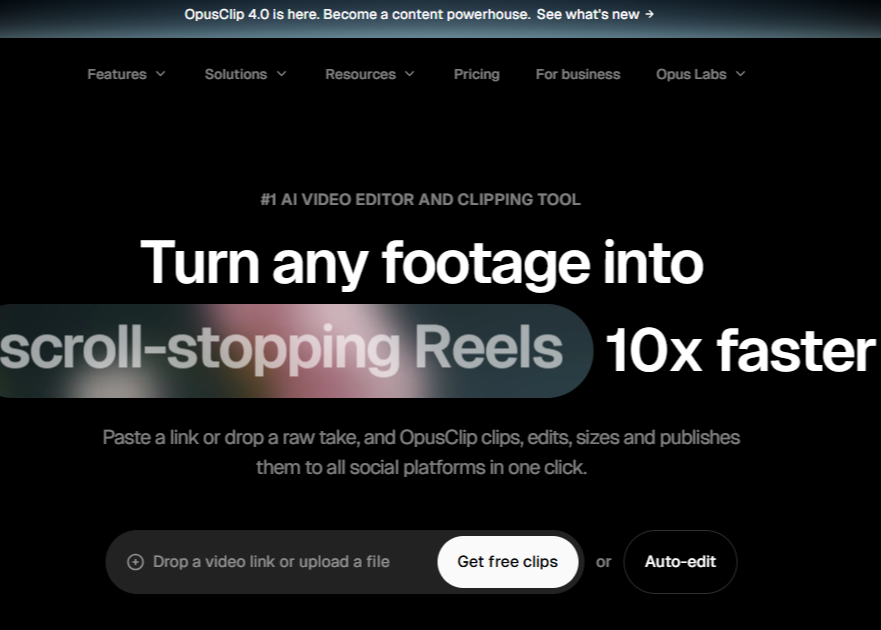
Turn Long Videos and Podcasts Into Short Clips With OpusClip
Creating short-form videos from long recordings can take hours of editing, especially when you’re producing regular podcast episodes, interviews, or other video content. OpusClip is an AI-powered video editing and clipping tool that helps creators and businesses turn longer recordings into shorter videos suitable for social media.
With features such as AI video clipping, automatic captions, video reframing, and editing tools, OpusClip helps simplify the process of repurposing existing video content. Instead of starting every short-form video from scratch, creators can use AI-generated clips as a starting point, review the results, and customize their content before publishing.
At YoushTech, we use OpusClip as part of our content production workflow for our podcast clients. Our experience working with podcast recordings and short-form video content gives us firsthand familiarity with how AI video tools can support Podcast Services, content repurposing, and social media marketing.
Whether you’re a podcaster, content creator, or business looking to get more value from existing videos, OpusClip is a software option worth exploring.
What Is OpusClip and How Does It Work?
OpusClip is an AI-powered video editing and content repurposing platform that helps businesses, podcasters, and content creators transform longer recordings into engaging short-form videos. Instead of manually reviewing hours of footage to find interesting moments, OpusClip uses artificial intelligence to analyze video content, identify potential highlights, and generate shorter clips for social media.
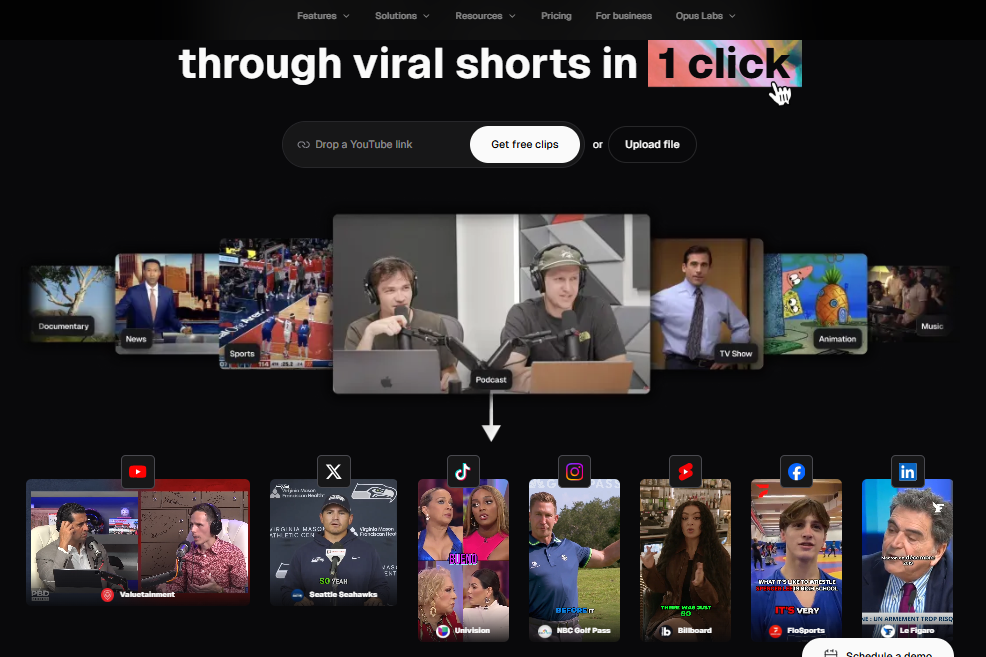
The software uses AI technology to identify conversations, important moments, and interesting segments within uploaded videos. It can automatically generate captions, reframe videos for vertical viewing, and organize clips for platforms such as YouTube Shorts, Instagram Reels, TikTok, and Facebook. Users can review the generated clips, make adjustments, and customize the finished videos before publishing.
For businesses and podcasters that regularly produce video content, OpusClip provides a practical way to make better use of existing recordings. A single podcast episode, interview, webinar, or educational video can become multiple shorter pieces of content, giving creators additional opportunities to reach audiences across social media platforms.
At YoushTech, we use OpusClip in our work with Here’s the Deal Podcast with Max Baker Jr., helping turn podcast recordings into shorter video clips for social media. Our experience with the platform complements our Podcast Services and Content Creation Services, allowing us to support clients with video editing and content repurposing
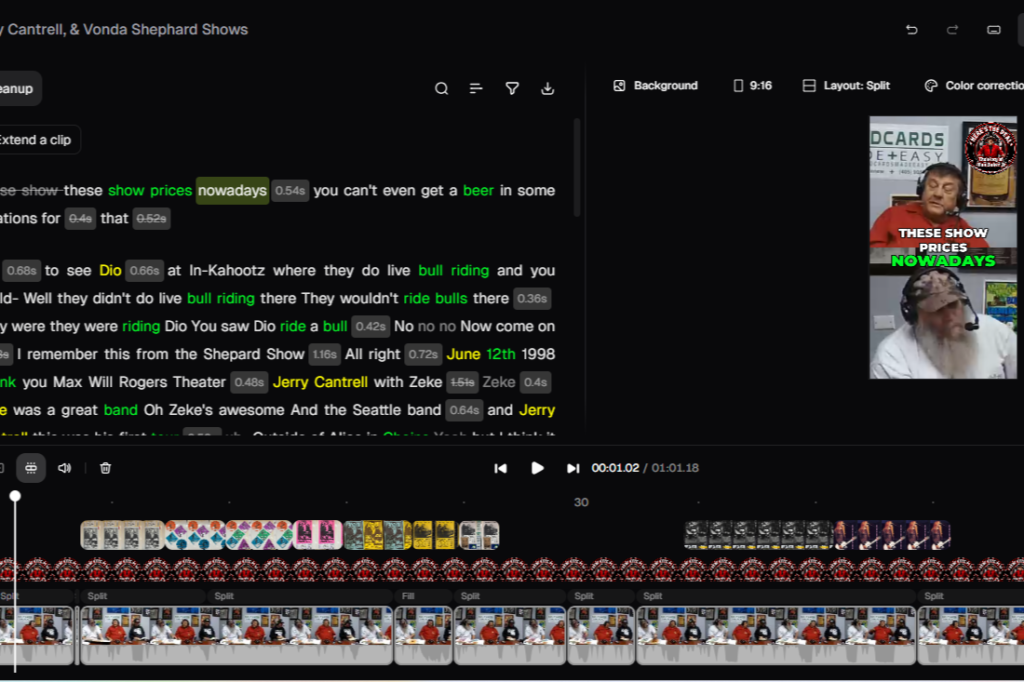
How OpusClip Turns Long Videos Into Short Clips
The video clipping process follows four main steps:
- Upload Your Video: Import an existing video recording or provide a supported video link.
- Let AI Identify Highlights: OpusClip analyzes the recording and creates short clips from selected moments.
- Review and Customize: Adjust captions, trim content, modify layouts, and review accuracy.
- Export and Share: Download completed clips or use available publishing options to distribute them across social platforms.
Although OpusClip can automate much of the initial editing process, reviewing the results is still important. Captions, selected moments, and transitions may require adjustments before a clip is ready for publication.
7 Powerful OpusClip Features for Video Content Creation
Creating professional video content doesn’t always require hours of manual editing. OpusClip combines artificial intelligence with practical video editing tools to help businesses, podcasters, and content creators transform existing recordings into short-form videos for social media.
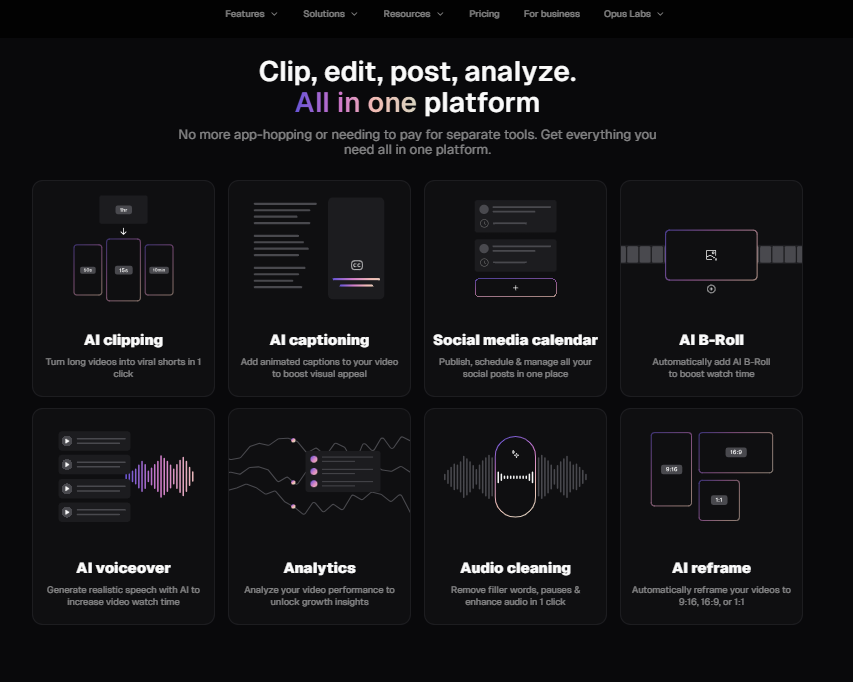
From automatically identifying interesting moments to adding captions, adjusting video layouts, and preparing content for publishing, OpusClip offers tools that simplify different stages of video production. These features can be especially helpful for creators who regularly produce podcasts, interviews, educational videos, and other long-form recordings.
1. AI Video Clipping
Automatically identify highlights from long recordings.
2. AI Virality Score
Evaluate and prioritize potential video clips.
3. Automatic Captions
Generate and customize captions for short videos.
4. AI Video Reframing
Adjust video layouts for different social platforms.
5. Text-Based Editing
Refine video clips and clean up spoken content.
6. AI B-Roll
AI B-Roll Add relevant visuals and supporting footage.
7. Social Media Scheduling
Organize and publish content across supported platforms.
1. AI-Powered Video Clipping
One of OpusClip’s primary features is its ability to automatically identify potential highlights within longer videos. Using artificial intelligence, the software analyzes recordings and generates shorter clips based on conversations, interesting moments, and other content signals.
For podcasters and businesses that regularly record long-form videos, this feature can reduce the time spent manually reviewing footage. Instead of searching through an entire recording for suitable clips, users can review AI-generated suggestions and select the moments they want to develop further.
OpusClip’s AI video clipping tools make it easier to transform podcasts, interviews, webinars, and other recordings into shorter videos that can be shared across social media platforms.
2. AI Virality Score
OpusClip includes an AI Virality Score that evaluates generated clips and estimates their potential to attract viewer attention. The software considers factors such as opening hooks, content structure, and engagement-related characteristics when scoring video segments.
This feature helps creators compare potential clips and prioritize those that may be more interesting to their audience. It can be especially useful when a single podcast recording generates multiple short videos.
Although the Virality Score can provide helpful guidance, it doesn’t guarantee views, engagement, or social media performance. Creators should still use their understanding of their audience when choosing which clips to publish.
3. Automatic Captions and Subtitles
Captions are an important part of short-form video content, especially for viewers who watch videos without sound. OpusClip uses AI technology to generate captions and subtitles automatically, helping creators add readable text to their videos without transcribing every word manually.
The platform offers animated caption styles, text highlighting, and customization options that can help make videos more visually engaging. Users can review and correct captions to improve accuracy before exporting their finished content.
For businesses and podcasters publishing videos on Instagram Reels, TikTok, Facebook, and YouTube Shorts, automatic video captions can improve accessibility and make spoken content easier to follow.
4. AI Video Reframing for Social Media
Different social media platforms use different video dimensions. A horizontal podcast recording may work well on YouTube but require adjustments before it can be published as a vertical Instagram Reel or YouTube Short.
OpusClip’s AI Reframe feature automatically adjusts video framing to fit different aspect ratios. Depending on the selected tools and plan, it can also track speakers or subjects to help keep important visual elements within the frame.
This feature is particularly useful for podcast recordings involving multiple speakers. Instead of manually adjusting every clip, creators can use AI-assisted framing as a starting point and refine the composition when needed.
5. Text-Based Video Editing and Audio Cleanup
OpusClip provides editing tools that allow users to make adjustments to generated clips before publishing. Its text-based editing features help creators review spoken content, remove unnecessary segments, and refine the structure of their videos.
Available tools also include timeline editing, trimming, and options for removing filler words or unwanted pauses. Certain paid plans offer additional speech-enhancement capabilities to help improve audio quality.
These features can help businesses and podcasters produce cleaner, more focused short-form videos without relying entirely on traditional video editing software.
6. AI B-Roll and Visual Enhancements
B-roll footage can help make videos more visually interesting by adding supporting images or video clips that complement the main recording. OpusClip offers AI B-Roll tools that assist with adding relevant visuals to video content.
Depending on the selected plan, users may have access to AI-generated images, video footage, and stock media. These elements can help illustrate important topics, provide visual variety, and support storytelling within short-form videos.
For educational content, marketing videos, interviews, and podcasts, B-roll can help make recordings more visually engaging. Creators should review AI-generated visuals to ensure they accurately represent the subject being discussed.
7. Social Media Publishing and Scheduling
Creating short-form videos is only one part of content repurposing. Businesses and podcasters also need a practical way to organize and distribute those videos across social media platforms.
OpusClip includes social media publishing and scheduling tools that allow users to prepare content for platforms such as YouTube Shorts, Instagram, TikTok, Facebook, and other supported networks. Available integrations and scheduling capabilities depend on the subscription plan.
For creators who publish content regularly, these tools can help streamline the process of preparing and distributing short-form videos. Combined with YoushTech’s Social Media Services, video repurposing can become part of a more consistent content marketing strategy.
How Businesses and Content Creators Can Use OpusClip
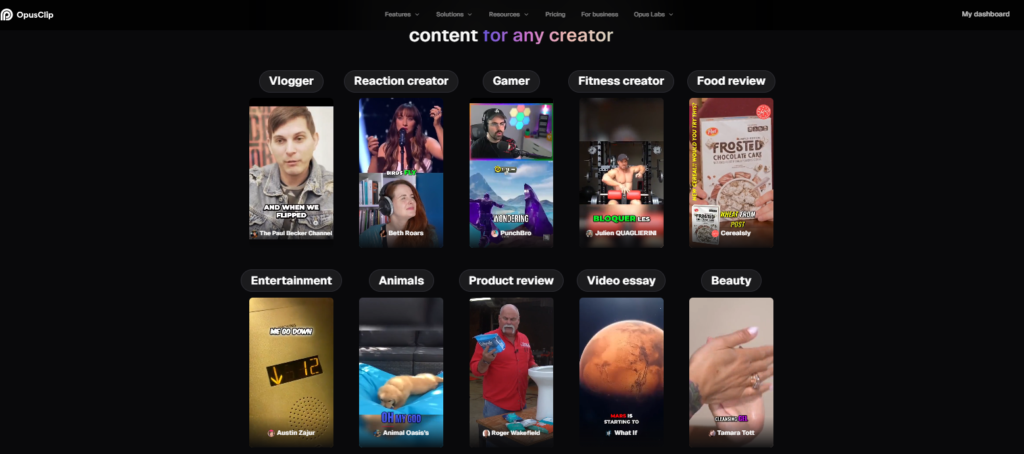
Creating video content is an important part of internet marketing, but producing enough material for multiple platforms can be time-consuming. OpusClip helps businesses, podcasters, and content creators turn existing video recordings into short-form content that can be shared across popular social media platforms.
Whether you’re producing podcasts, recording interviews, hosting webinars, creating educational videos, or sharing business updates, OpusClip provides AI-powered tools that can simplify the video editing and content repurposing process.
At YoushTech, we use OpusClip as part of our video content workflow and recognize its value for businesses that want to get more use from their recordings. Combined with a clear content strategy, AI video clipping can help businesses maintain a more consistent online presence.
Repurpose Podcasts and Interviews Into Short Videos
Podcasts and interviews often contain valuable conversations, interesting stories, and useful information that can be shared beyond the original recording.
OpusClip helps identify potential highlights from longer recordings and turn them into shorter video clips. Podcasters and interviewers can use these clips to promote episodes, highlight guests, and share memorable moments across social platforms.
Businesses producing podcasts can also combine OpusClip with professional Podcast Services to develop a more organized approach to video editing and content distribution.
Create Social Media Reels and Short-Form Videos
Short-form videos give businesses opportunities to share quick tips, product demonstrations, customer information, and promotional content.
With OpusClip, longer recordings can be transformed into shorter videos formatted for platforms such as Instagram Reels, YouTube Shorts, TikTok, and Facebook. Automatic captions and AI-assisted reframing can help prepare content for vertical viewing.
These videos can become part of a broader Social Media strategy, helping businesses maintain a regular flow of engaging content.
Turn Webinars and Educational Videos Into Content
Businesses frequently create webinars, training presentations, tutorials, and educational videos containing information their customers may find valuable.
Instead of sharing only the full-length recording, OpusClip can help identify useful segments that can be developed into individual short videos. These clips might explain a product feature, answer a customer question, demonstrate a process, or highlight an important lesson.
Repurposing educational recordings allows businesses to share information in shorter, more accessible formats without creating entirely new videos for every topic.
Promote Business Products and Services
Businesses can use short-form videos to introduce products, explain services, share company news, and demonstrate their expertise.
For example, a business could record a longer product demonstration, service walkthrough, or informational presentation and use OpusClip to create several shorter promotional videos.
These clips can support Content Creation and social media campaigns by giving businesses more opportunities to communicate their message without recording separate videos for every platform.
Create Highlights From Livestreams and Events
Livestreams, virtual events, presentations, and recorded discussions can contain moments worth sharing after the original event has ended.
OpusClip can help identify and extract these moments so creators can turn them into shorter videos for future social media posts. Businesses can highlight announcements, share interesting discussions, or revisit important information from past recordings.
This approach helps extend the usefulness of existing video content and creates additional material for future marketing activities.
Build a Consistent Short-Form Video Content Schedule
Maintaining a regular social media presence often requires a steady supply of new content. Businesses that already produce long-form videos can use OpusClip to develop multiple shorter videos from individual recordings.
Rather than creating every social media video from the beginning, creators can organize clips into content calendars, make necessary edits, and prepare them for future publication.
OpusClip also offers publishing and scheduling features on supported subscription plans, helping streamline content distribution across connected social platforms.
Benefits of Using OpusClip for Video Content Creation
Creating professional videos for multiple social media platforms can require significant time, planning, and editing. OpusClip helps simplify video production by using artificial intelligence to identify useful moments, generate short-form clips, add captions, and prepare videos for different platforms. This allows businesses and content creators to spend less time on repetitive editing tasks and more time developing engaging content.
Whether you’re producing podcasts, business presentations, interviews, tutorials, or marketing videos, OpusClip offers tools that can make video editing and content repurposing more efficient. By turning existing recordings into additional content, businesses can extend the value of their videos while supporting their overall internet marketing efforts.
Save Editing Time
Reduce repetitive video editing tasks.
Repurpose Content
Get more use from existing recordings.
Simplify Editing
Create short videos with AI assistance.
Consistent Posting
Build a steady supply of social media content.
Improve Video Quality
Add captions and improve video presentation.
Support Marketing
Use short videos across your marketing channels.
Who Should Use OpusClip?
OpusClip is an AI-powered video editing tool designed for businesses, podcasters, content creators, and marketing professionals who want to create short-form videos from longer recordings. Whether you’re producing podcasts, interviews, webinars, tutorials, or promotional videos, OpusClip helps simplify the editing process and prepare content for social media.
Podcasters and content creators can use OpusClip to turn full-length episodes and interviews into engaging clips for YouTube Shorts, Instagram Reels, TikTok, and Facebook. Businesses and entrepreneurs can repurpose product demonstrations, educational videos, and company presentations into shorter content that highlights their services and connects with potential customers.
Internet marketing agencies, social media managers, and educators can also benefit from OpusClip’s AI video clipping, automatic captions, and video reframing features. These tools help streamline content production, maintain consistent posting schedules, and make better use of existing recordings.
At YoushTech, we use OpusClip as part of our video content creation workflow and recommend exploring it for businesses looking to simplify video editing and content repurposing.
Frequently Asked Questions About OpusClip
Considering OpusClip for AI video editing and content repurposing? Whether you’re a business owner, podcaster, content creator, or internet marketing professional, understanding the software’s capabilities can help you decide whether it fits your needs.
Explore these frequently asked questions about OpusClip, including AI video clipping, automatic captions, social media videos, and available subscription options.
What is OpusClip and what does it do?
OpusClip is an AI-powered video editing platform that helps users turn longer recordings into short-form videos. The software analyzes video content, identifies potential highlights, and generates clips that can be edited and shared on social media. It is designed for podcasters, businesses, marketers, and content creators.
Can OpusClip automatically create short videos from long recordings?
Yes. OpusClip uses artificial intelligence to analyze longer videos and identify segments that may work well as individual short clips. Users can review the generated clips, adjust their content, and prepare them for publishing on social media platforms.
Does OpusClip automatically add captions to videos?
Yes. OpusClip includes automatic caption generation to help make videos easier to follow. Users can review and edit caption text, customize available caption styles, and adjust the presentation of their videos before exporting. Feature availability may vary by subscription plan.
Which social media platforms can I create OpusClip videos for?
OpusClip can help create short-form videos for platforms such as YouTube Shorts, Instagram Reels, TikTok, and Facebook. The software includes video reframing tools and offers publishing integrations with selected social networks, depending on the subscription plan.
Is OpusClip free to use?
OpusClip offers a free option with limited usage, along with paid subscription plans that provide additional processing credits, editing capabilities, and other features. Businesses and creators can review the available plans to determine which option best fits their video production needs.
Do I need professional video editing experience to use OpusClip?
No. OpusClip is designed to simplify video editing for users with different experience levels. Its AI tools handle tasks such as identifying highlights, generating captions, and adjusting video framing. However, reviewing and refining generated clips is still recommended to ensure the finished videos accurately represent your content.